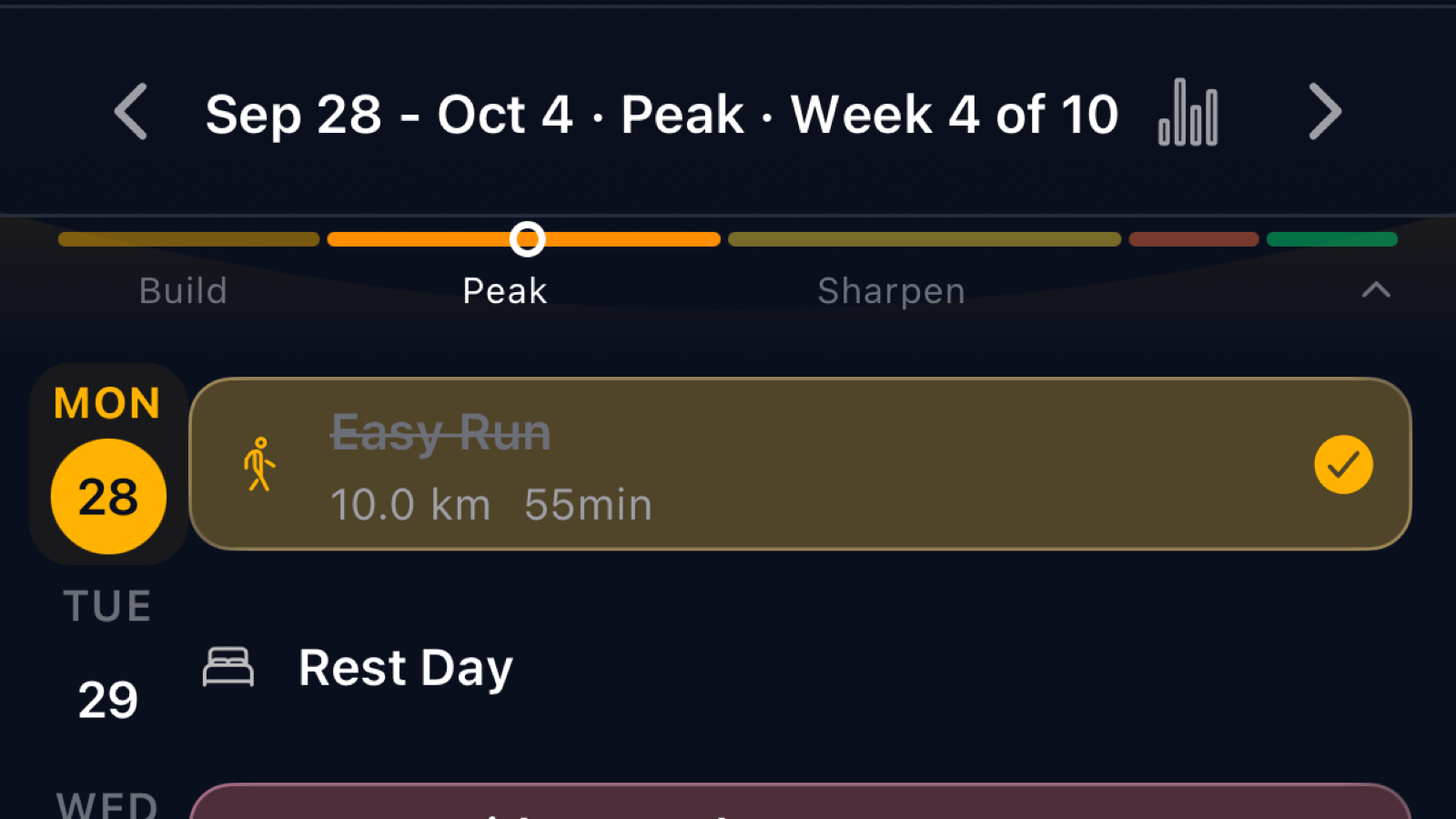
“Week 9 of 16” tells you where you are. It does not tell you what the week is for. That is a problem, because the answer changes what you should do when Thursday’s session collides with a work dinner, or when the weekend you planned the long run for turns into a wedding two hundred kilometres away.
Training plans are built in phases. Coaches have called them different things for fifty years, but the shape is always the same: lay a base, build on it, peak, sharpen, back off, race. Each phase asks something different of you, and each one has a different answer to the question “can I move this run?”
This post explains the six phases you now see on your calendar, and the rules Running Momma uses when you move a session.
Why phases exist at all
The idea is called periodisation, and it is one of the oldest principles in endurance coaching that still holds up. You cannot do everything at once. Volume and intensity compete for the same recovery budget, and the adaptations you are chasing have different timelines: aerobic capacity takes months and fades slowly, sharpness takes weeks and fades fast. So a plan sequences them. First the slow stuff, then the fast stuff, then rest so the race gets both.
The six phases
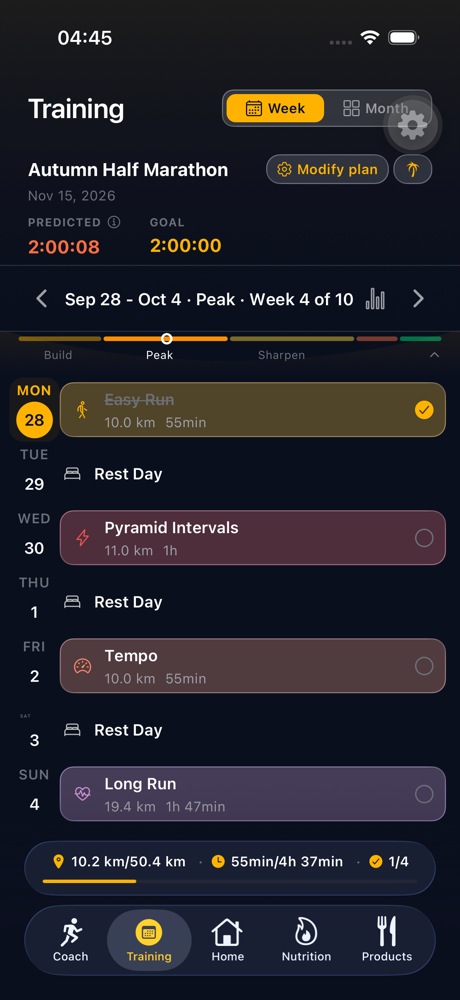
Your calendar labels every week of a race plan with one of these. The label sits in the week header next to the date range, and a thin bar under it shows the whole plan with your week marked.
Base. The foundation. Mostly easy running, more of it each week. If you are coming to a plan with little recent running behind you, the base phase is longer, because durability is built here and there is no shortcut. Consistency beats intensity in this phase.
Build. Volume and quality ramp together. Long runs get longer, tempo and interval sessions appear, strides and pickups add variety. Easy days are still the bulk of the week and they should stay easy, because the hard days only work if you arrive at them recovered.
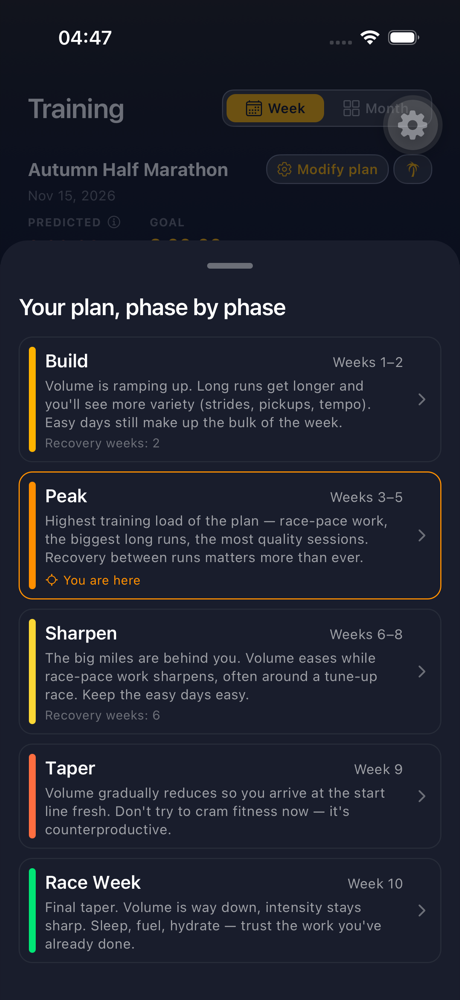
Peak. The highest training load of the plan: the biggest long runs, the most race-pace work, the most quality sessions close together. It is short, typically two to four loaded weeks on a road plan and longer on an ultra plan, and recovery between runs matters more here than anywhere else. If you are going to feel tired in a training block, it is this one.
Sharpen. Not every plan has this block. Most intermediate and advanced plans put a few weeks between the peak and the taper where volume eases but race-pace work gets more specific, often around a tune-up race. The big miles are behind you; the legs are learning what race day will feel like.
Taper. Volume drops, intensity stays. Usually one to three weeks, longer on an ultra plan; your plan’s phase sheet shows exactly how many. It feels wrong. It is right. We wrote a whole post about why the taper feels harder than training.
Race week. The last week. Short, sharp, rested. Sleep, eat, hydrate, trust the work.
Recovery weeks sit inside these phases rather than being a phase of their own. A build phase with a recovery week in the middle is still the build phase; the calendar marks the recovery week with a small banner so you know the lighter week is deliberate.
Reading your plan phase by phase
Tap the bar under the week header and you get the whole plan laid out: each phase, its weeks, what it is for, and which phase the week you are looking at belongs to. Tapping a phase jumps the calendar to its first week.
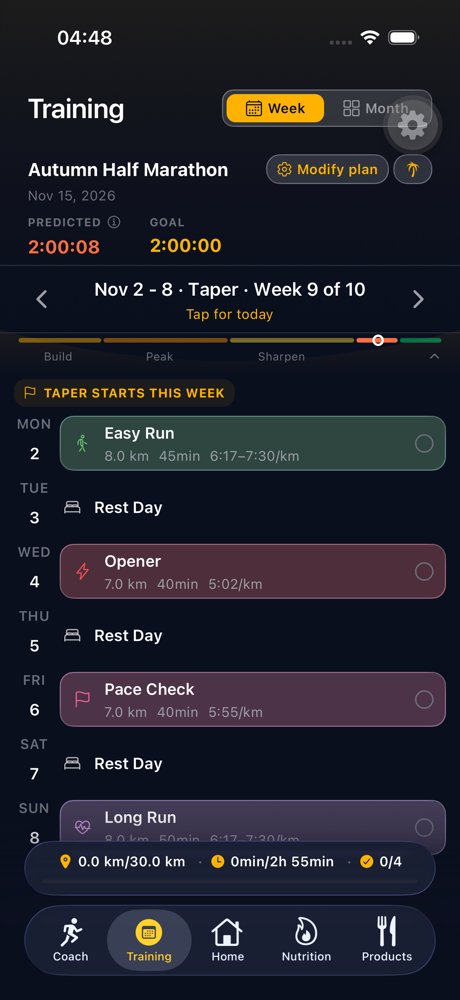
The first week of every phase gets a one-line banner above the days, so a new block never sneaks up on you.
Moving a run: the rules
Life happens. The question is never whether you will need to move a session, only how far, and what it costs the plan when you do. Running Momma answers that with a short set of rules, and it tells you which days are open before you pick one.
Open any planned session and tap Move. You get a row of days: the whole of that session’s training week, plus two days into the week before and two into the week after. Days you can move to are bright. Days you cannot are greyed, and tapping one tells you why.
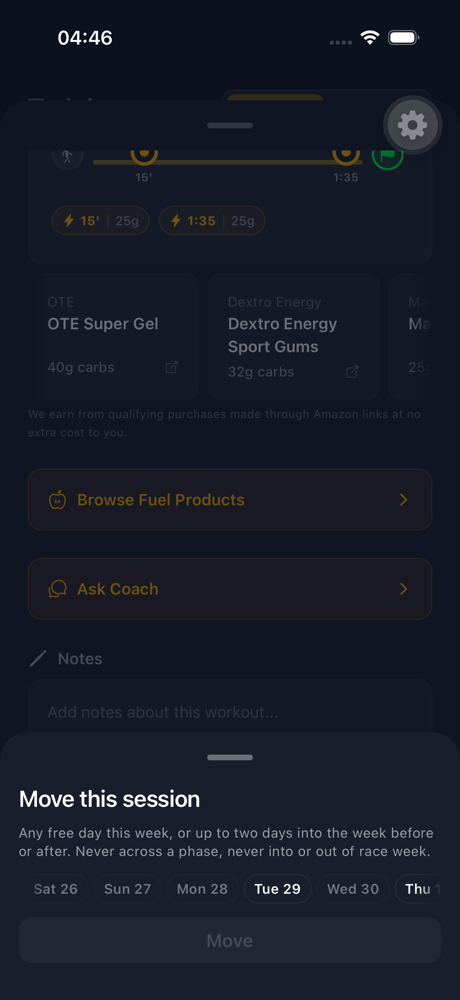
The rules, in the words a coach would use:
- Inside your training week, any free day is fine. Swapping Tuesday for Thursday changes nothing about the week’s load. Planned rest days count as free.
- Across a week boundary, up to two days. A Sunday long run can move to Friday or Saturday, or to Monday or Tuesday. Further than that and it stops being a move: two long runs end up a few days apart and then nearly two weeks apart, and the week’s rhythm is gone. If your life needs a bigger change than two days, that is a plan change, and the plan wizard or a recalibration is the right tool.
- Never across a phase boundary. The last long run of the peak stays in the peak. The first quality session of the sharpening block stays in the sharpening block. Each phase is built as a unit, and a session that slides into the next one carries the wrong load into the wrong week. A recovery week is not a boundary; you can move across its edge.
- Race week is sealed. Nothing moves into it, nothing moves out of it, and race day stays on race day. You can still shuffle the sessions inside race week.
- A completed run stays where it happened. So does a skipped one. And you cannot move a run onto a day that has already passed, a holiday day, or a day that already has a session.
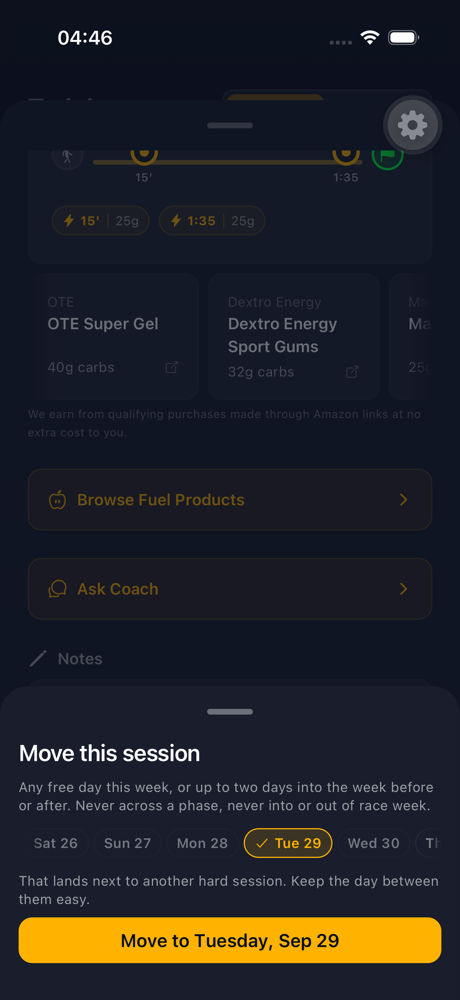
If a move would put a hard session right next to another hard session it was not already next to, the picker warns you but lets you decide. That is a coaching nudge, not a rule.
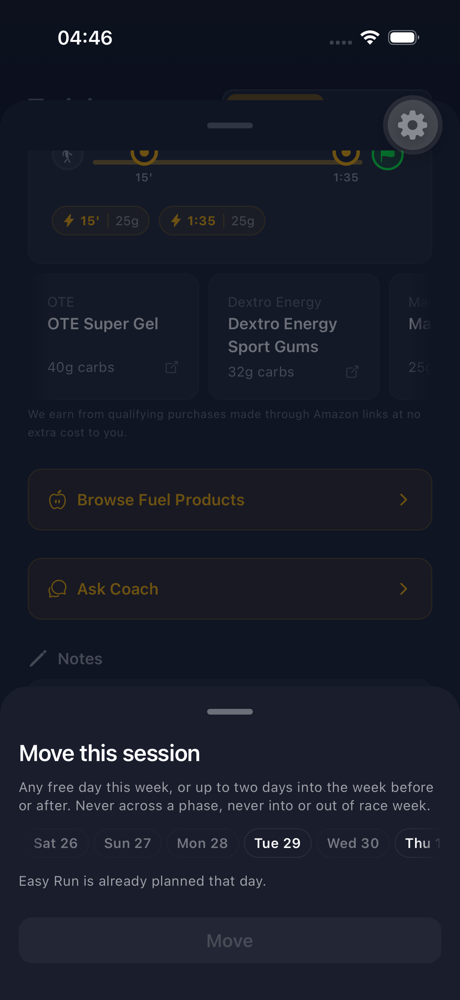
Pick an open day and the button names it. Confirm, and the session moves. The change shows up in Plan history (Settings > Training) with the day it came from, and you can undo it from there, under the same rules.
A few real situations
“I’m away this weekend.” Move Sunday’s long run to Friday, or to Monday if Friday is a work day. Both are inside the two-day window. If Monday already has an easy run, the picker will say so; move the easy run first, or take it as the rest day it was always going to become.
“I missed Tuesday’s intervals.” If it is still the same week, move them to Thursday or Friday, keeping an easy day between them and the long run. If the week is over, let it go. One missed session changes nothing; cramming it in next to a long run changes your risk of injury.
“Can I move my last big long run into taper week so I feel more ready?” No, and this is the rule doing its job. The taper starts when the plan says it starts because that is how long the recovery takes. Moving the biggest run of the plan one week later shortens the recovery you actually need for race day.
“My plan has no phases on it.” Lifestyle plans (the ones without a race) are not periodised, so they show plain week numbers. Older race plans get phases too, worked out from each week’s focus.
Frequently asked questions
Does moving a run change my watch? Yes. The session leaves the old day and appears on the new one on Garmin, Apple Watch or intervals.icu the next time the app syncs to your watch, the same way any plan change does.
Does a moved run still count as done when I run it? Yes. Completion matches on the day you actually ran, so a long run moved to Monday completes on Monday.
Why can I move freely inside the week but only two days across it? Because inside a week the total load is the same whatever order you run it in. Across a week boundary, every extra day shifts load from one week to the next, and two days is the most the plan can absorb before a week stops being a week.
What if the plan itself changes? When your plan recalibrates from your real runs, the sessions you moved stay where you put them. The plan re-paces everything else around them.
Phases are not decoration. They are the plan telling you what each week is for, and the move rules are the plan protecting that for you when the calendar gets messy. Move what you need to. The app will tell you when a move stops being a move and starts being a different plan.